Start from a catalog, not a blank page.
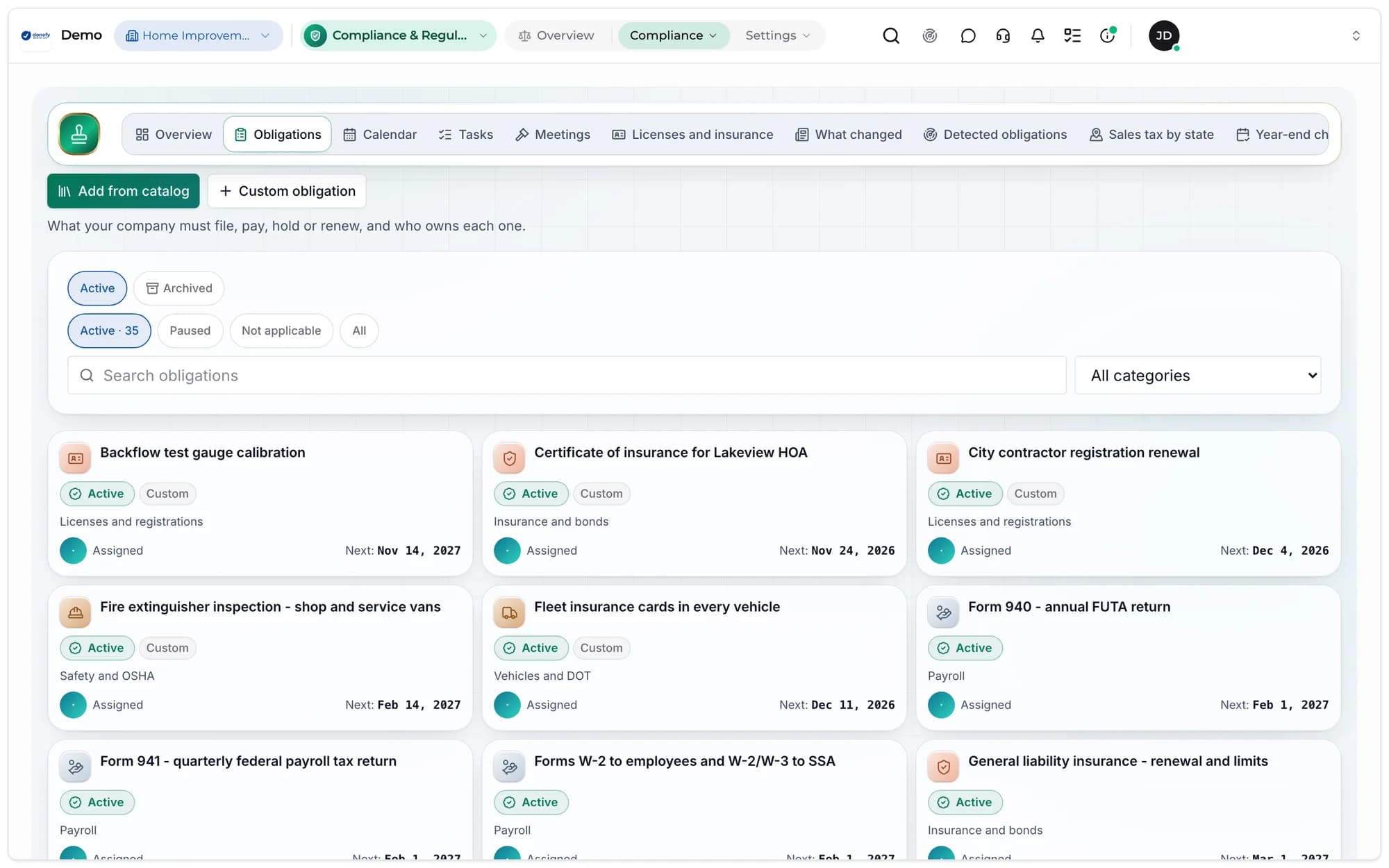
Add obligations from the catalog or write your own. Each card shows its category, its owner and its next due date. Catalog items link to the official source, so you can verify the rule yourself.

Compliance tracking
Filings, licenses, insurance, meetings and certifications in one place, each with its due date, its owner, its reminders and the document that shows it was done. A tracking tool, not legal advice.
This is Compliance itself, not a mockup.
The problem
Licenses, insurance, tax filings and safety checks each run on their own clock. You carry the dates in your head, and you find out one slipped when a customer asks for a certificate or a notice arrives.
The office manager knows when the contractor license renews. Nobody else does, and it is not written anywhere your crew leads can see.
A property manager asks for your certificate of insurance before the crew can start. Someone spends the morning digging through email for the current one.
The extinguishers were inspected and the safety talk happened. When someone asks you to show it, there is no record with a date on it.
How Compliance fixes it
Compliance puts every obligation on one calendar with an owner and reminders, keeps each license and policy with its expiry, and stores the proof beside the task it closes.
Inside Compliance
This is Compliance & Regulation as your office opens it.
Add obligations from the catalog or write your own. Each card shows its category, its owner and its next due date. Catalog items link to the official source, so you can verify the rule yourself.
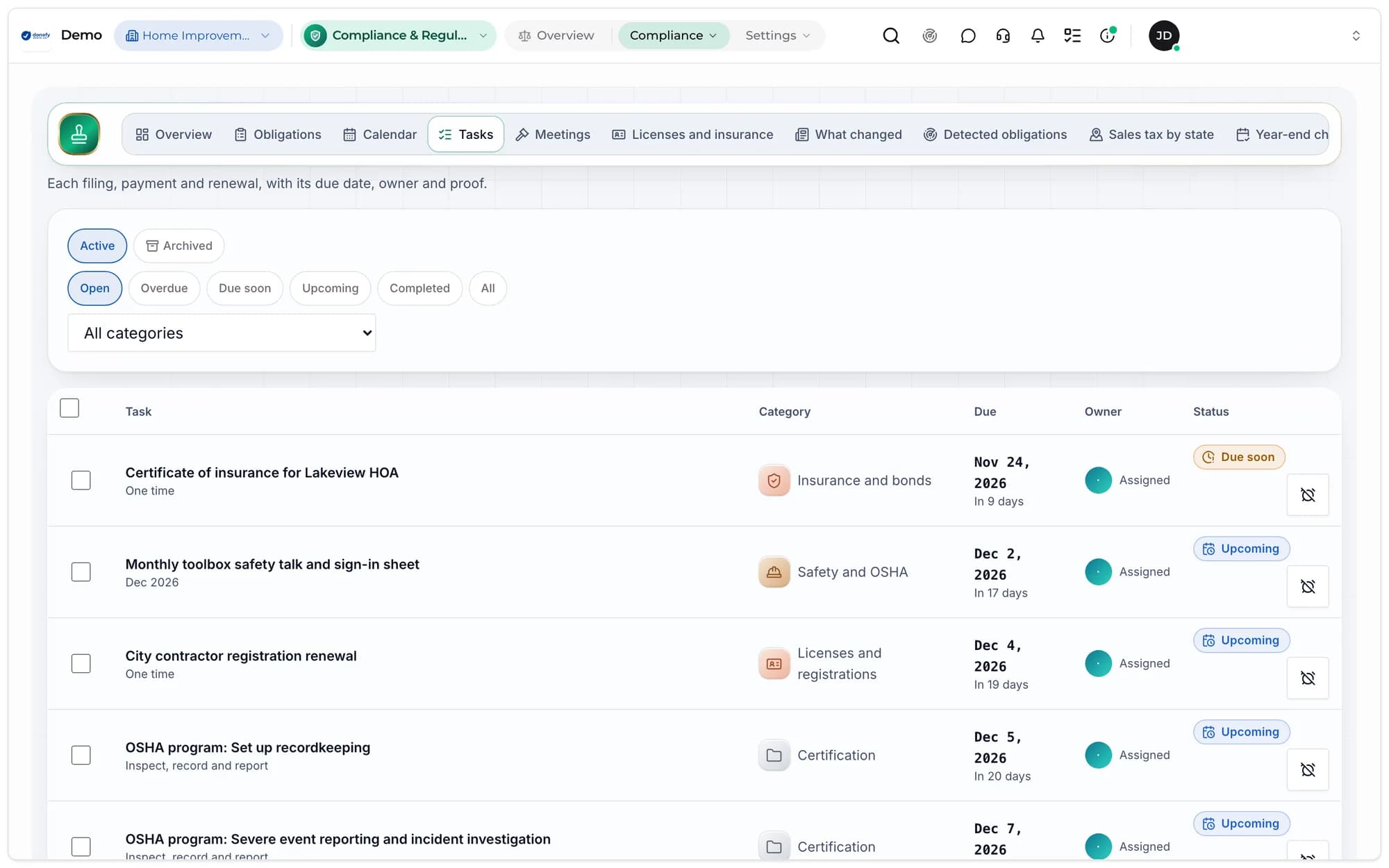
Every occurrence becomes a task with its due date, owner and status. Filter by open, due soon, upcoming or completed, and by category. Close a task with a note and attach the proof.
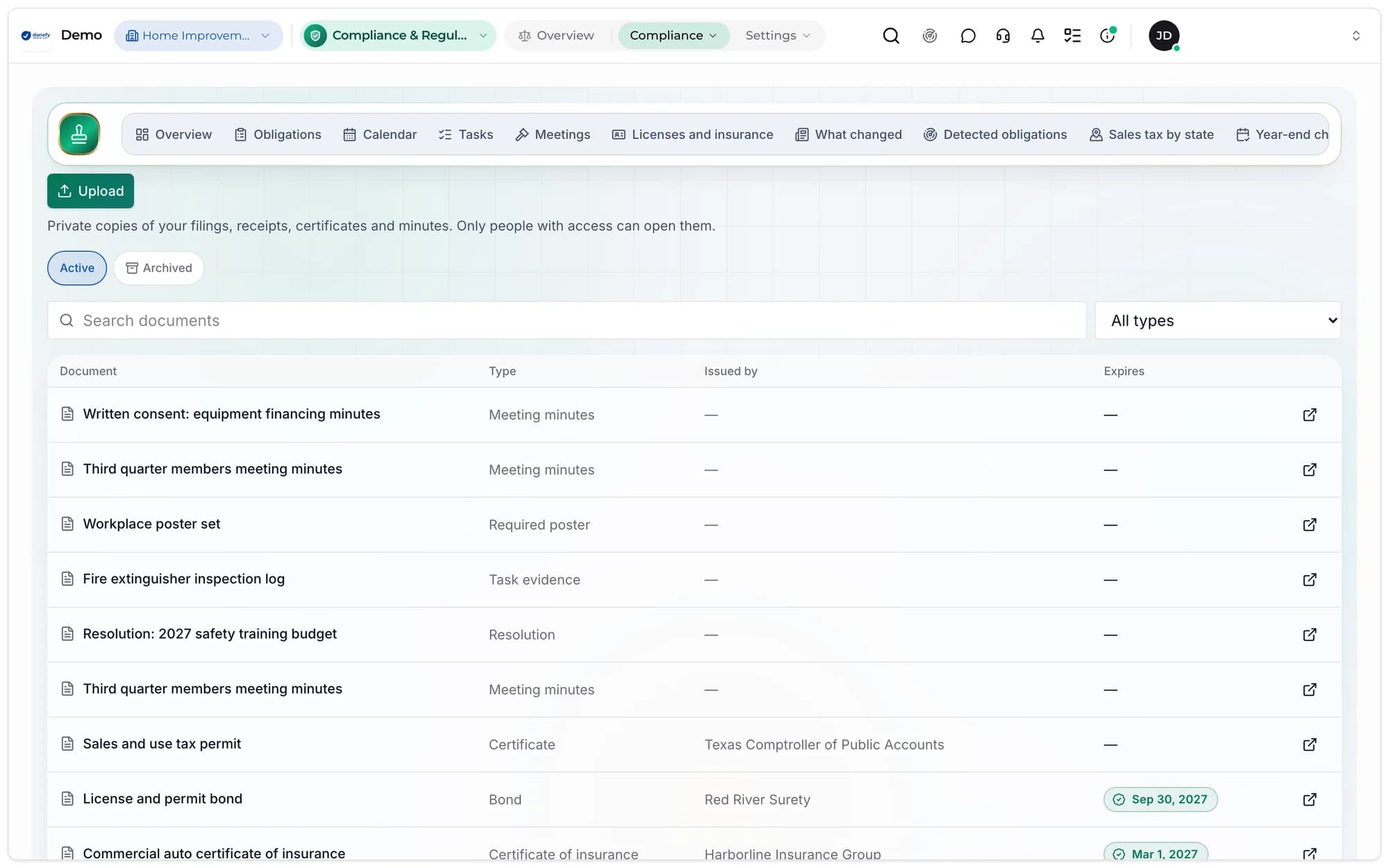
Certificates, filing receipts, meeting minutes, resolutions and required posters, each with its type, issuer and expiry. Only people with access can open them, and a new file keeps the earlier one as a version.
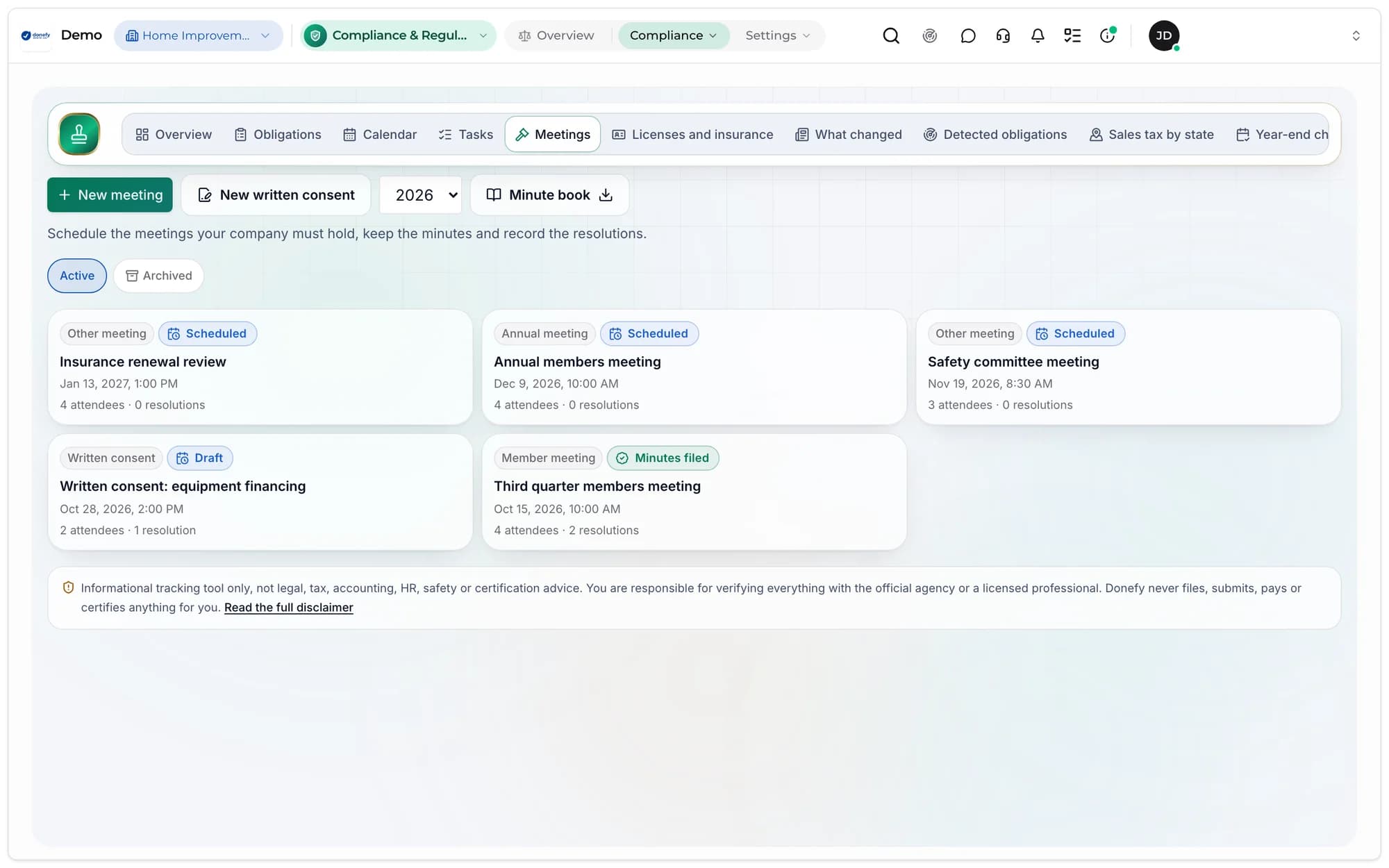
Schedule the meetings your company must hold, record who attended and what was resolved, and file the minutes. Written consents sit beside them, and the minute book downloads from the same page.
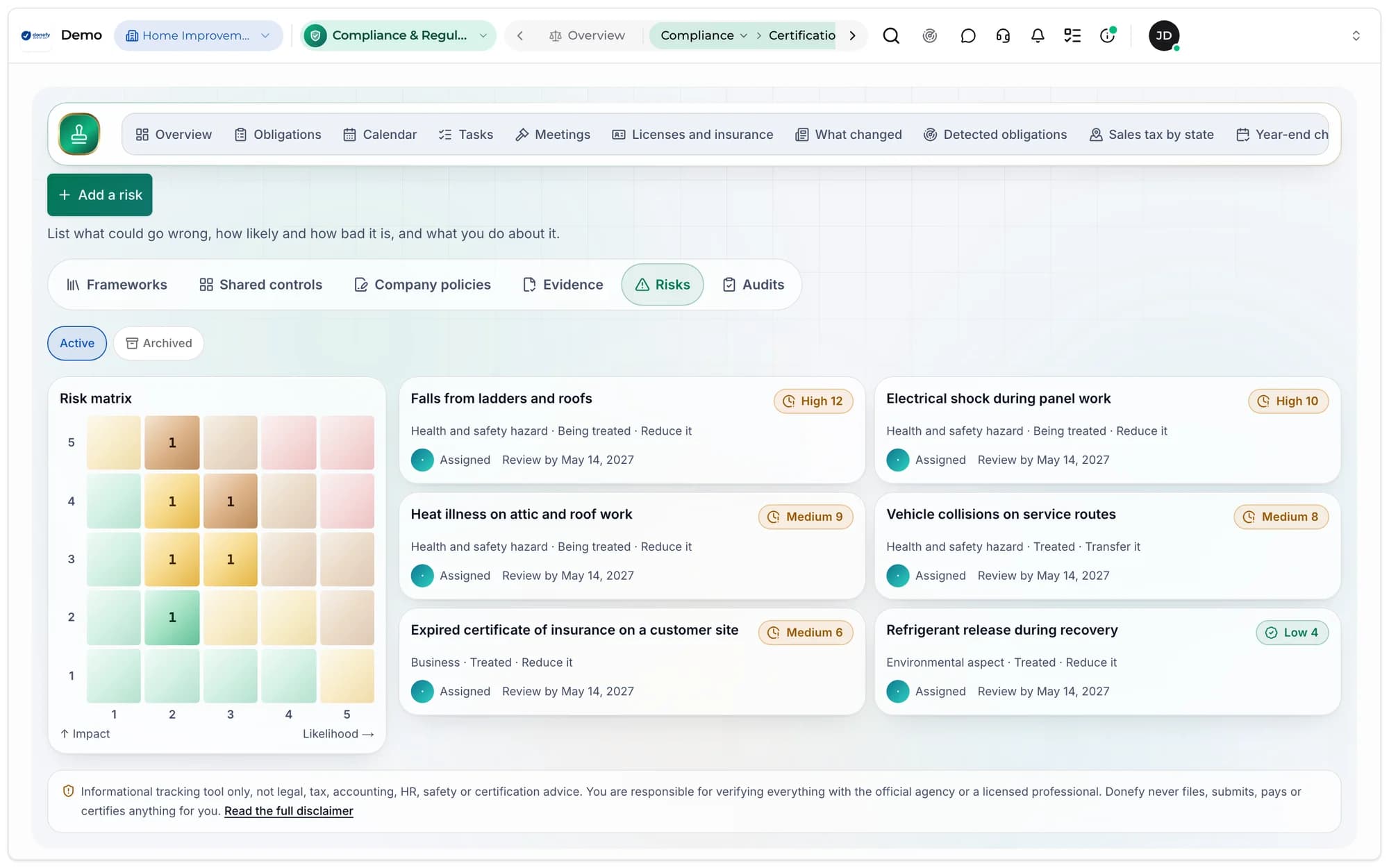
List what could go wrong, how likely it is and how bad it would be. The matrix places each risk by likelihood and impact, and each card shows its level, its treatment and its next review date. Risks sit beside frameworks, controls, policies, evidence and audits.
AI inside Compliance
AI inside Compliance explains, suggests and drafts from your own records. It never files, submits or changes anything by itself, and what it writes should be reviewed before you rely on it.
Ask the Assistant what is due or what a requirement means. It answers from your own obligations, tasks, licenses and meetings and from the catalog, with official sources attached.
From your company profile, the Assistant proposes obligations from the catalog. Nothing is added until you press Confirm.
Inside a prep packet it explains a line, flags what to check and drafts text such as meeting minutes or a certificate request, for you to review and file yourself.
Start a company policy from an AI first draft. A person edits it and approves it before anyone is asked to sign.
Permanent records
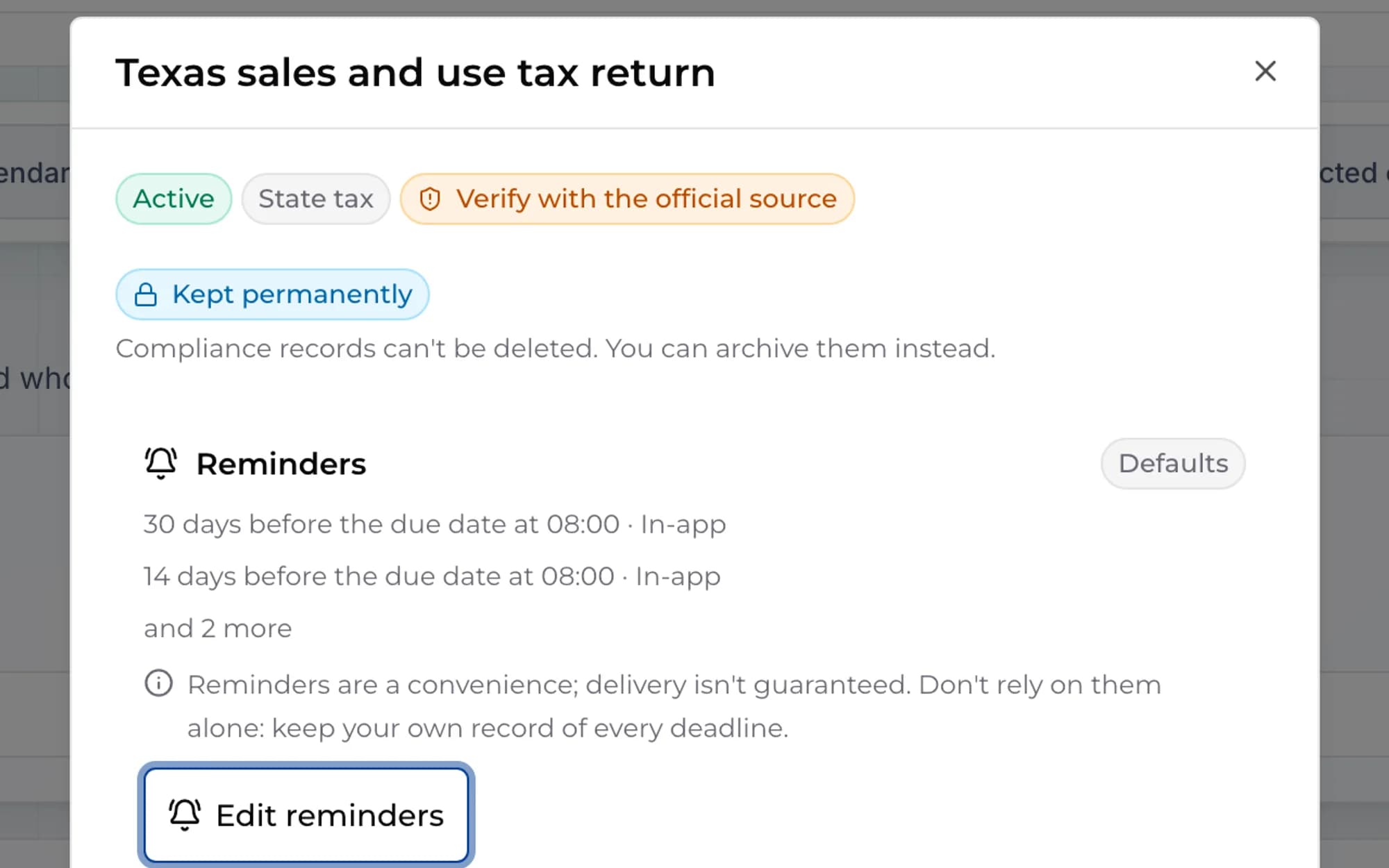
Compliance records cannot be deleted. When something no longer applies you stop tracking it or archive it, and the record stays with its history. Each record carries its own reminders, set as days before the due date.
Timeline
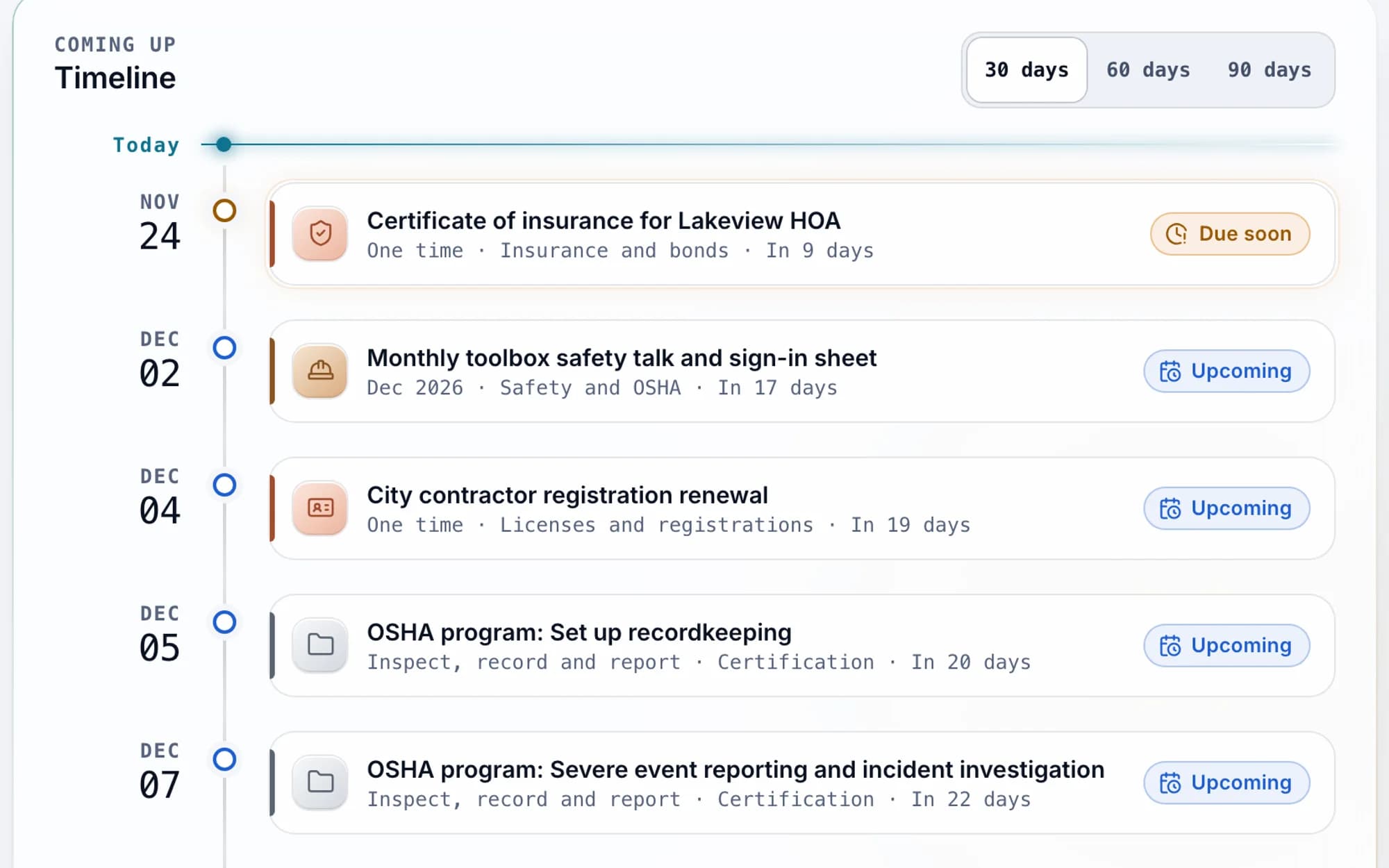
The overview lists what is coming up by date, with its category and how many days are left. Switch the window to 60 or 90 days.
One Business Operating System
Figures come from the modules that own them, and your staff answer without opening Compliance.
 AccountingPrep packets read sales and revenue figures from Accounting for you to check.
 HRPolicies and documents go to staff through HR secure messages, and their acknowledgments come back.
 InventoryPrep packets read stock at cost from Inventory.
 CRMOpen deadlines and scheduled meetings appear on the team calendar as compliance deadlines.
What Compliance does
What Compliance & Regulation does today.
The share of what was due that was closed on time, with counts for overdue, due soon and the next 90 days.
Due dates, meetings and expiries by month or as an agenda, with a calendar download.
Set reminders as days before each due date, snooze one, and choose who hears next after the due day.
Every license, registration, policy and bond with its issuer, its expiry and the days left.
Private copies of filings, receipts, certificates and minutes, with earlier versions kept.
Meetings, written consents, resolutions and a minute book you can download.
Forms prepared from your records for you to check and file yourself. Donefy never files or submits anything.
Follow a framework's roadmap step by step, with shared controls, policies, evidence, risks and audits.
The owner decides who sees each section, can hide a section for a role or a person and share single records.
Questions
No. Compliance is an informational tracking tool. It is not legal, tax, accounting, HR, safety or certification advice, and Donefy never files, submits, pays or certifies anything for you. Verify every requirement with the official agency or a licensed professional.
Only the people you allow. Access is granted section by section, and the workspace owner has a page that shows who can see what, where a section can be hidden for a role or a person and single records can be shared.
No. Compliance records are kept permanently. You can archive a record or stop tracking it, and its history stays. A new file for a document keeps the earlier one as a version.
Reminders are a convenience and their delivery is not guaranteed, so keep your own record of every deadline. The product says the same beside the reminders on a record.
Yes. The Donefy app has Compliance, and it also runs in any browser.
Start with your obligations and licenses, then add documents, meetings and certifications when you are ready.