Recurring work schedules itself.
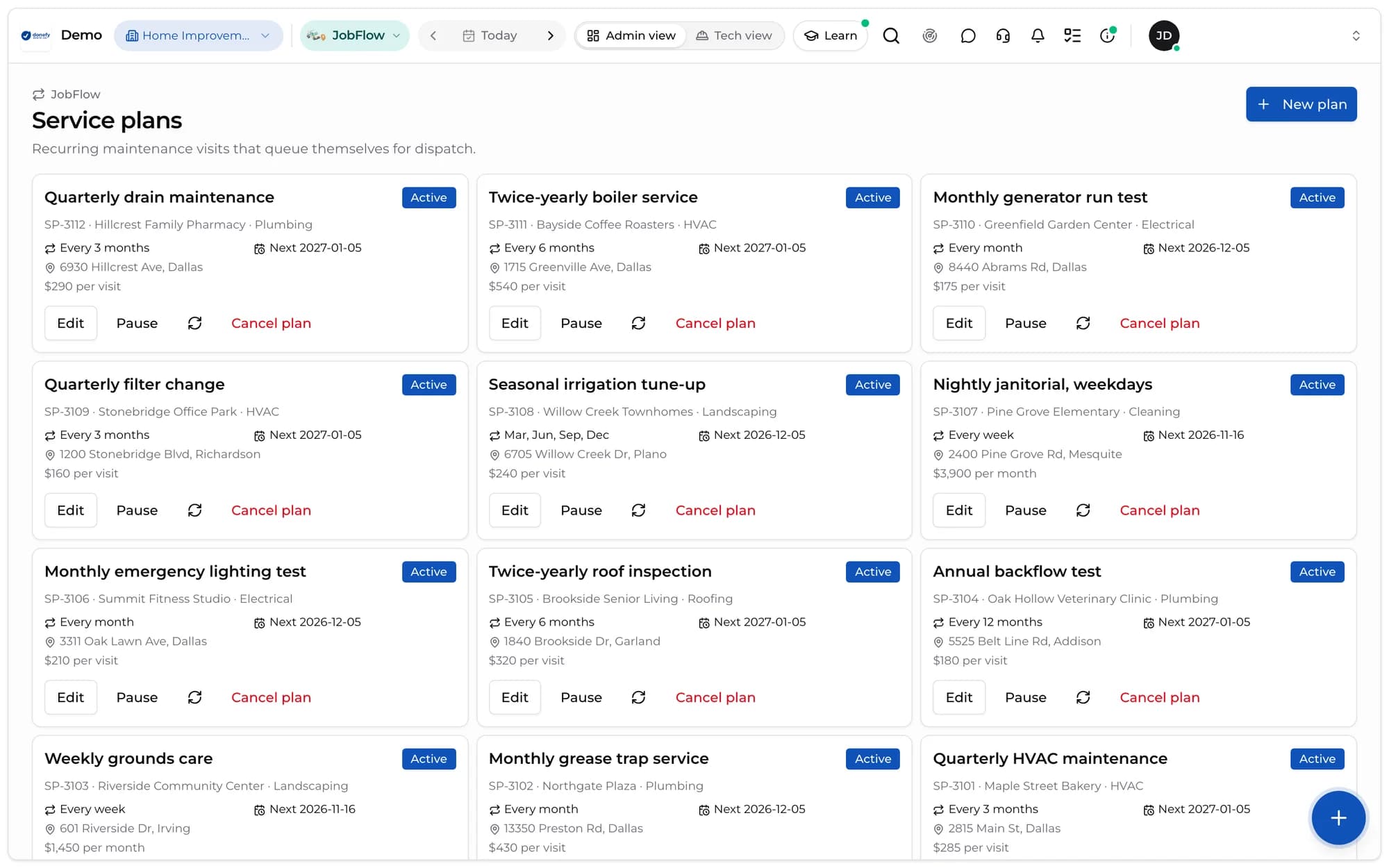
A plan says who the customer is, how often the visit repeats and what it costs. Its visits queue up for dispatch on their own, and each card shows the next date.

Field service dispatch software
Schedule jobs, build each crew's route, publish the day and watch it happen. Service plans, equipment history and truck stock ride along with every job.
This is JobFlow itself, not a mockup.
The problem
The schedule looked fine last night. Then a job runs long, an emergency comes in, and you spend the day on the phone moving crews while customers ask where their technician is.
A no-heat call comes in and you reshuffle three crews by phone. You learn what it broke when the last customer of the day calls.
The tech gets to the job and the part is not on the truck. The drive back to the shop costs the afternoon.
The customer took the morning off and nobody told them the window moved. The office spends its day answering that one question.
How JobFlow fixes it
JobFlow builds each crew's route on one board, reloads the trucks from what they used and messages customers at every step, so when the day changes, the office, the crews and the customers all know.
Inside JobFlow
This is JobFlow for a multi-trade service company: HVAC, plumbing, electrical, roofing, landscaping and cleaning crews.
A plan says who the customer is, how often the visit repeats and what it costs. Its visits queue up for dispatch on their own, and each card shows the next date.
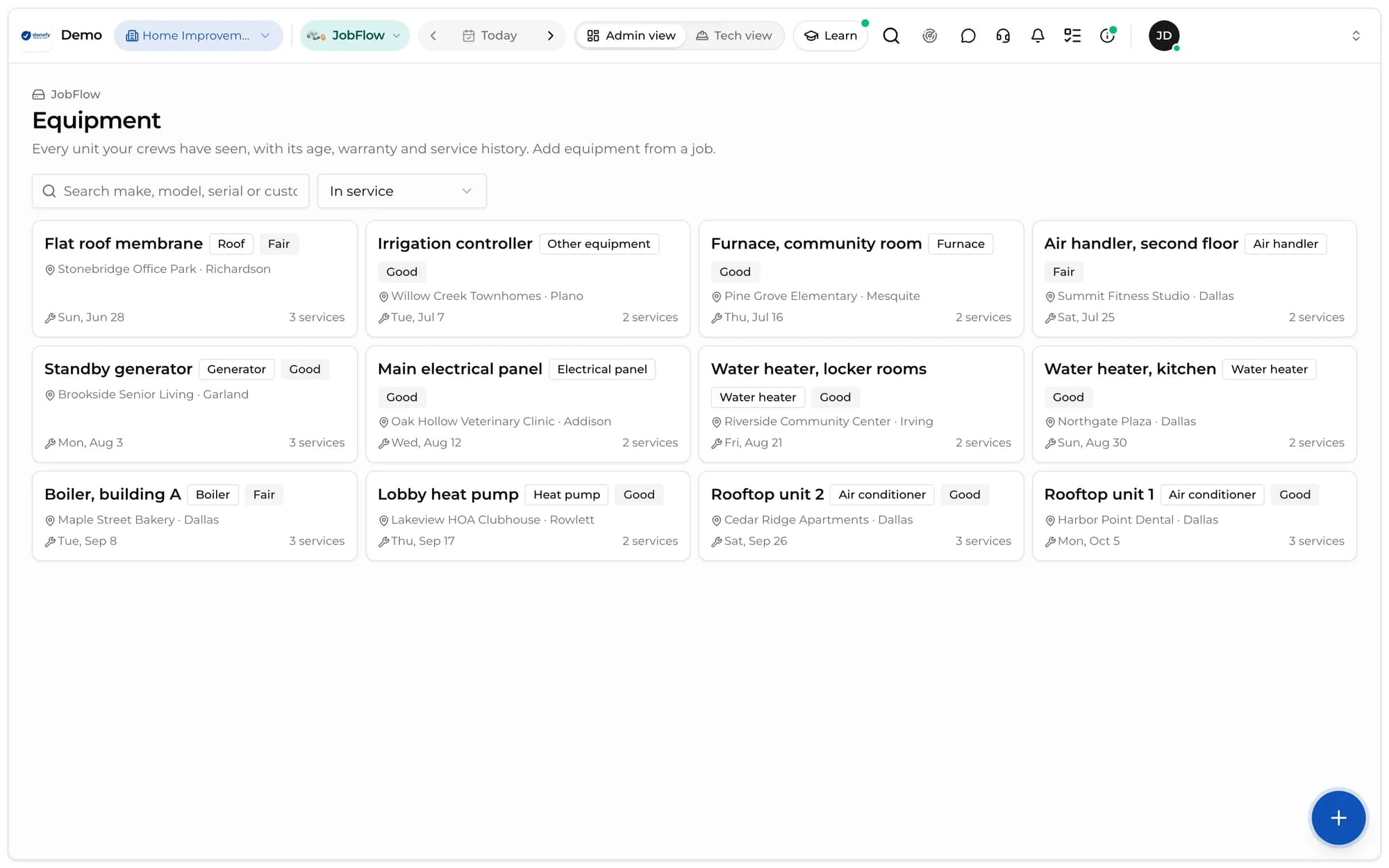
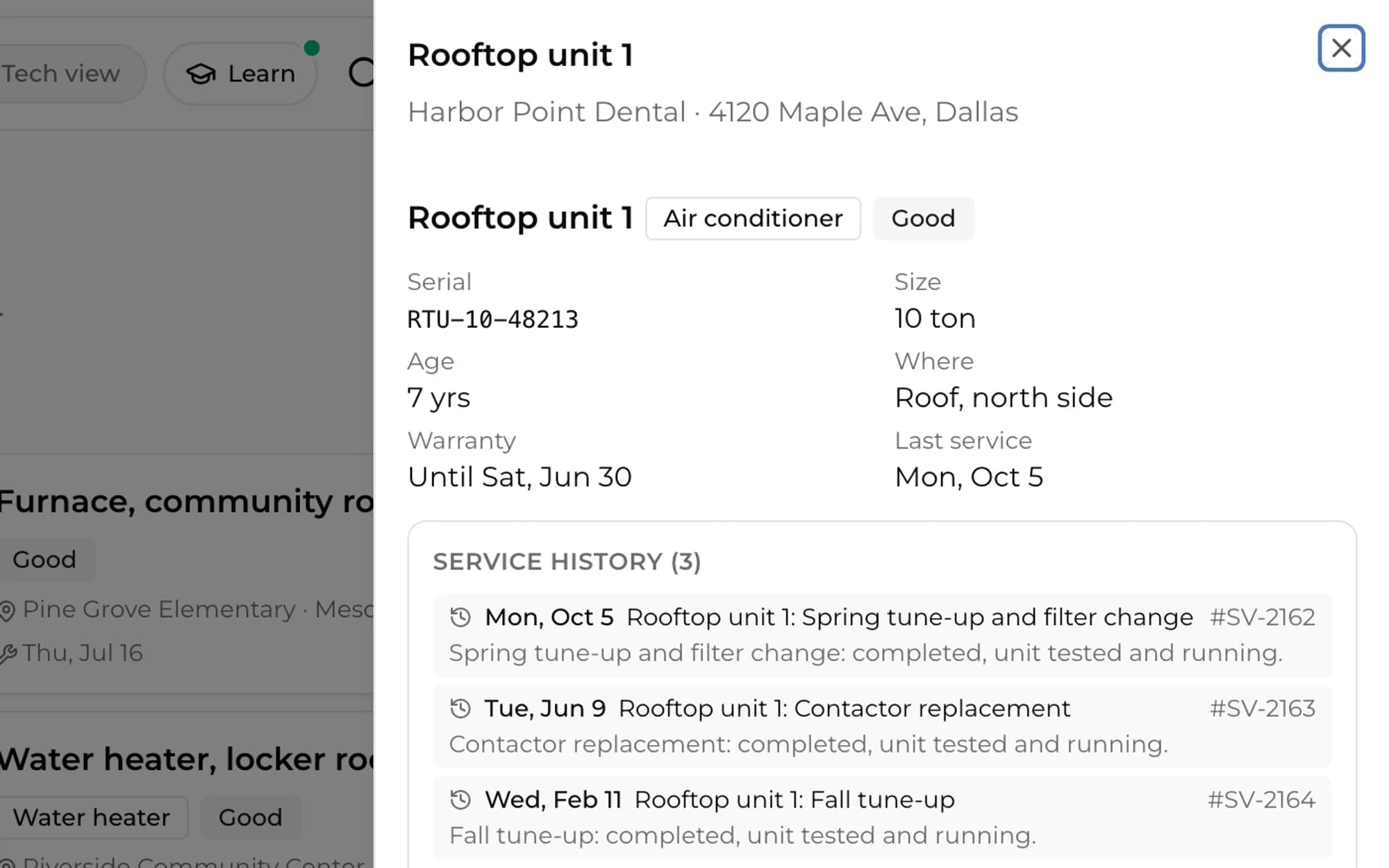
Every unit your crews have worked on is listed with its type, condition and the property it belongs to, plus when it was last serviced and how many times.
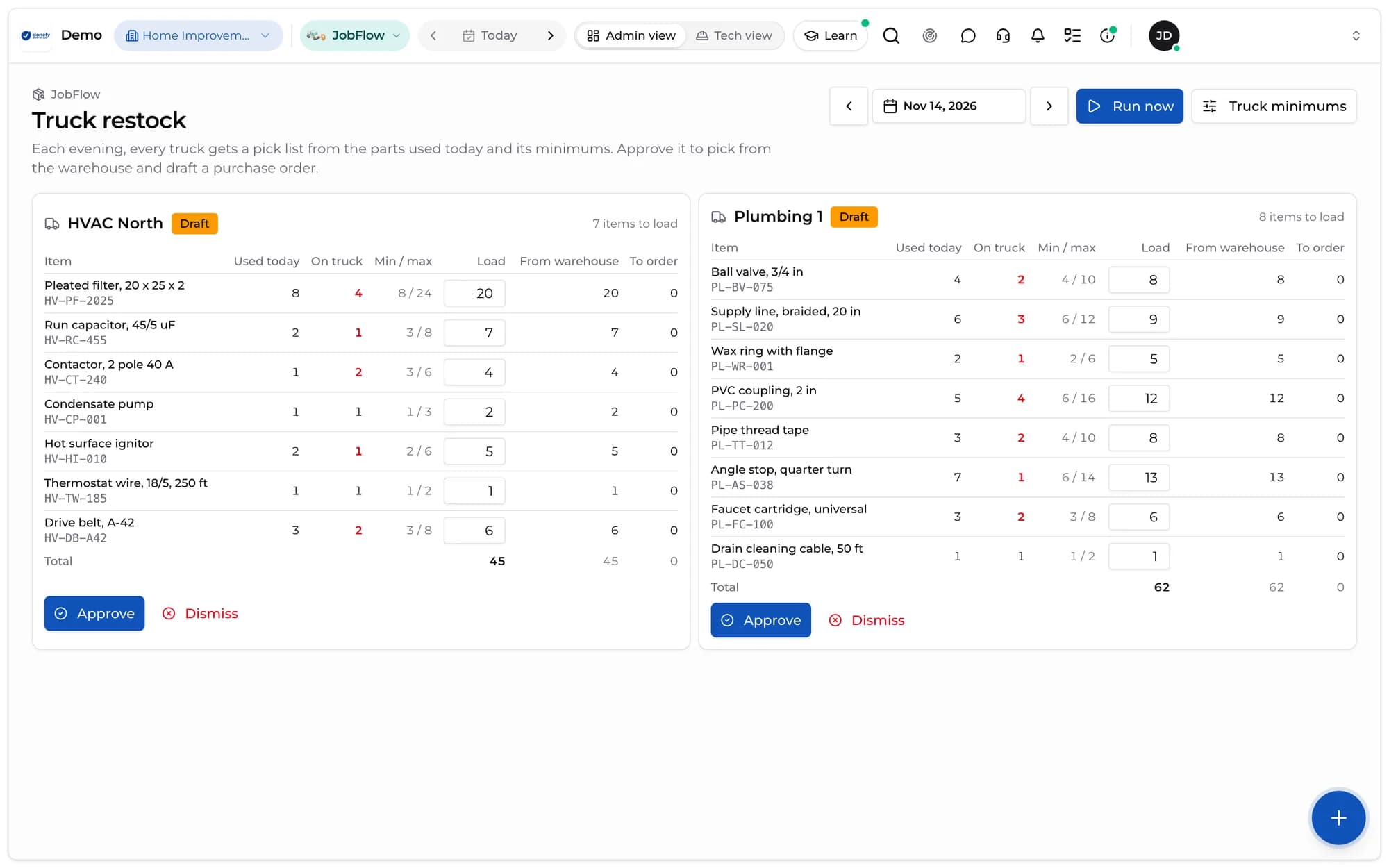
Each evening every truck gets a pick list built from the parts used that day and the truck's minimums. Approve it to pick from the warehouse and draft a purchase order.
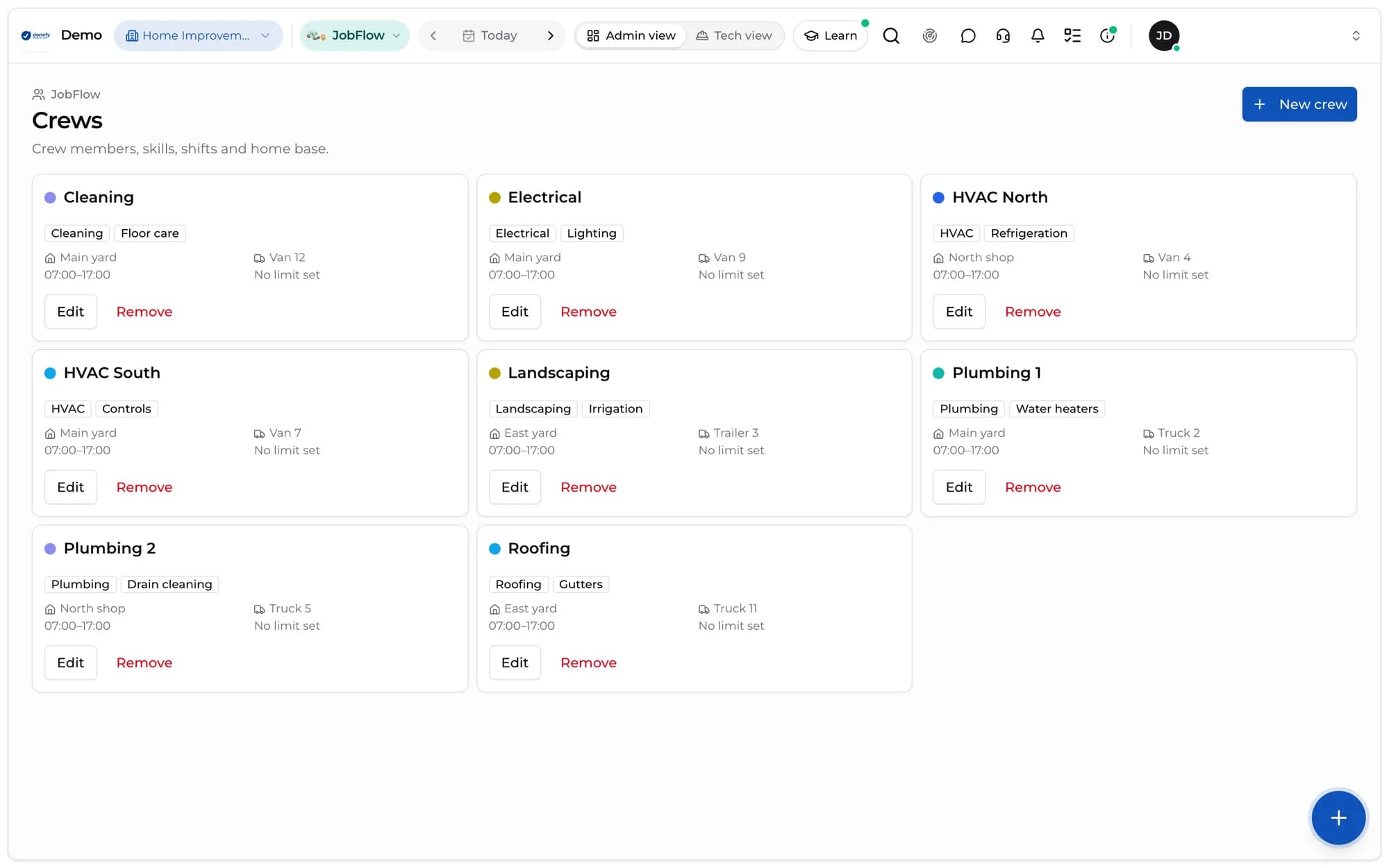
Each crew has its skills, shift hours, vehicle and home base. Dispatch uses them when it builds the day, so a job lands with a crew that can do it.
AI inside JobFlow
The AI in JobFlow drafts and proposes, and a person approves. Nothing reaches a crew or a customer until someone publishes the plan or sends the quote.
Ask the dispatch assistant what breaks if you add three emergencies tomorrow. It runs the change on a copy of the day and shows the difference, and nothing changes until you publish.
Take a photo of a nameplate or the damage. The AI reads it and drafts good, better and best options from your price list, and nothing goes to the customer until you send the quote.
A technician asks the job assistant about the job, by typing or by voice, or says what was used. A note, a part or a draft estimate waits for Confirm before it is saved.
With AI booking on, your AI Agents offer arrival windows from crew capacity and book the visit. Booked visits arrive unassigned for you to confirm.
Service history
Open any unit to see its serial, size, age, location on the property and warranty date, with every past visit and what the technician wrote when it was done.
Customer messages
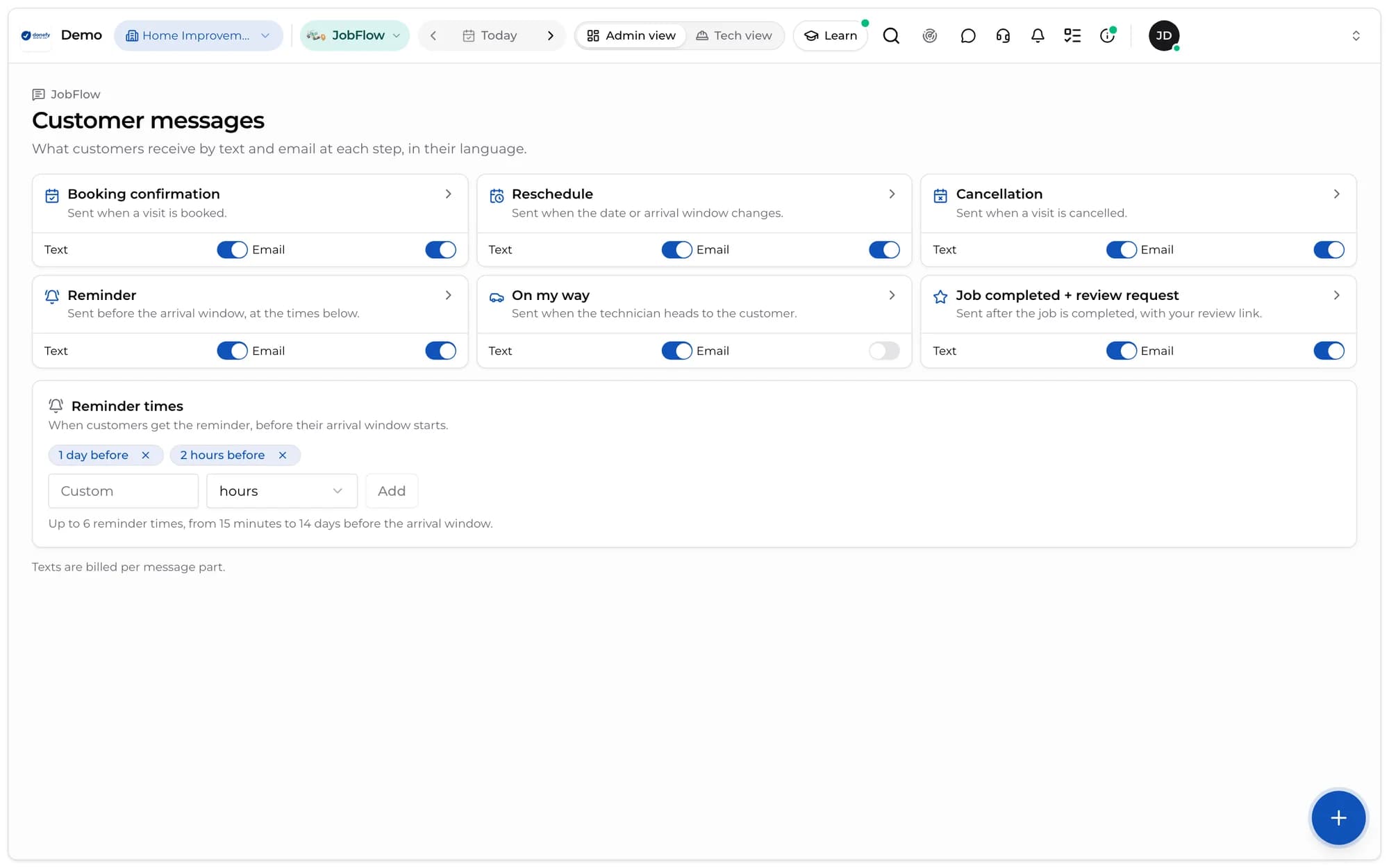
Choose what a customer receives when a visit is booked, moved or cancelled, before the arrival window, when the technician is on the way and when the job is done.
One Business Operating System
A job starts from a customer or a signed proposal, uses your stock and leaves its photos and messages on the record.
 CRMStart a new job from a customer's record in the CRM.
 SalesCreate a job from a sales proposal, scope included.
 InventoryAn approved truck restock picks from the warehouse and drafts a purchase order.
 Document CapturePhoto checklists on a job use your capture flows.
 CommunicationsCalls and texts to the customer go through your shared line.
What JobFlow does
What the office and the crews get from day one.
Crew lanes on a time axis. Drag a job onto a lane, lock it at a time, then approve and publish the day.
A tile per crew with jobs done, the on-time rate and a map with each crew's route.
Every job with its number, status, site, scope of work, on-site checklist and customer signature.
Recurring visits by week, month or season, billed per visit, monthly or yearly.
Units at each property with age, warranty, condition and service history.
A nightly pick list per truck from parts used and minimums.
Skills, shift hours, vehicle and home base for each crew.
Booking, reminder, on my way and completion messages by text and email.
Write a rule in plain words to flag, move or block visits on the board.
Questions
Pick a date on the Dispatch board and use Build day to give each crew a route, then Optimize day to tighten it. You can still drag any job to another crew or time before you approve and publish.
The Donefy app. A technician sees the day's stops and works each job from the phone, including the photo checklist, the on-site checklist and the customer's signature.
Yes. A service plan repeats by week, month or season for a customer and site, with its own visit length, checklist and fee. Its visits queue themselves for dispatch.
Yes, if you want them to. Each message, from booking confirmation to job completed, has its own switch for text and for email, and you set the reminder times.
Yes. JobFlow has an import for your existing records from a CSV or Excel file.
Jobs, routes, crews, service plans and truck stock in one place, connected to the rest of your business.